Unlock the full potential of Wavestore v6.50 -view our launch presentation today and explore the latest innovations in video management.
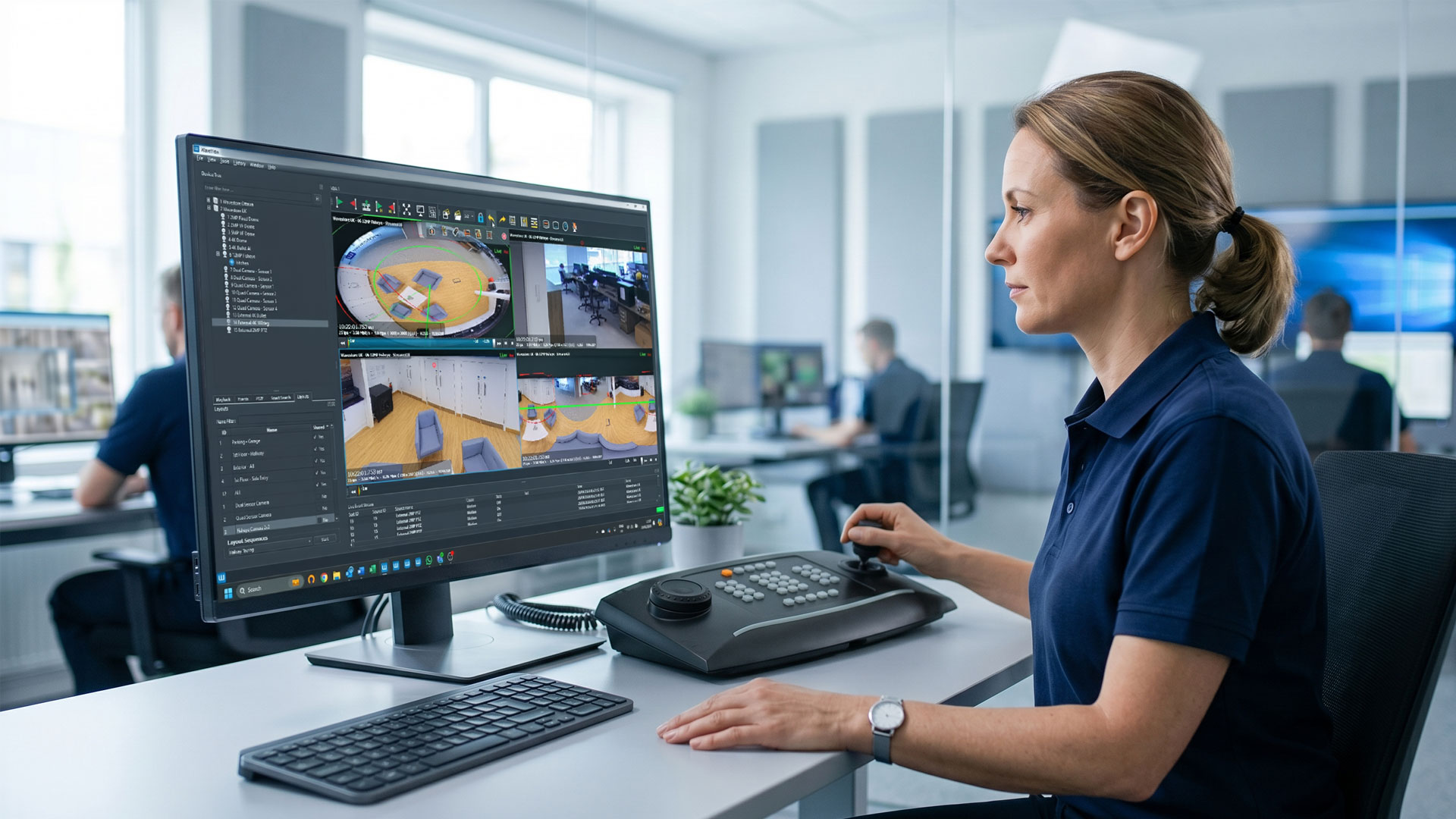
WaveView v6.50 gives operators more precise camera control, improves performance across demanding multi-display environments and strengthens the systems behind everyday security operations.
A video management system earns trust through the small interactions that happen hundreds of times each day. A large layout needs to open without delay. Cameras across several displays need to remain synchronised. PTZ controls need to match the environment, and routine maintenance should not create avoidable disruption.
WaveView v6.50 focuses on these operational details. It introduces variable PTZ speed settings by Camera Group, speeds up large auto-loaded layouts and addresses performance issues affecting multiple Video Display Agents (VDAs), subtitles and interface controls.
The release also includes server, upgrade and hardware improvements, alongside further development of the separate WaveFusion interface.
WaveView v6.50 is designed to reduce everyday operator friction while giving integrators and administrators greater control over how systems are deployed and maintained.
WaveView v6.50 introduces:
PTZ requirements can vary significantly across a security estate. A perimeter camera covering a wide external area may need a different movement speed from a camera monitoring an entrance, corridor or tightly defined internal space.
Version 6.50 introduces variable pan, tilt and zoom speed settings for individual Camera Groups. This gives administrators a practical way to configure PTZ behaviour around the cameras’ location and operational purpose.
Instead of applying the same control characteristics across every PTZ camera, teams can organise cameras into groups and set suitable movement speeds for each one. This can make camera control feel more predictable for operators moving between different areas of a site.
For system integrators, group-level configuration also provides a clearer way to standardise PTZ behaviour during commissioning and tailor the system to the customer’s operating procedures.
Large surveillance systems often rely on auto-loaded layouts to prepare an operator’s workspace as soon as they sign in. When those layouts contain many cameras or span several displays, even small delays can interrupt the start of a shift or slow the transition between operational tasks.
WaveView v6.50 improves the loading speed of large auto-loaded layouts. The release also addresses VDA refresh problems and latency or synchronisation issues affecting camera displays when multiple VDAs are in use.
Together, these changes are designed to provide a more consistent viewing experience in control rooms where video is distributed across several screens or workstations.
Video performance when subtitles are enabled has also been improved. Operators can retain useful camera, time or system information on screen without the same performance impact identified in previous versions.
Snapshots play a useful role in incident reporting, internal investigations and the rapid sharing of visual information.
Version 6.50 raises the default snapshot quality and remembers the operator’s selected settings. This removes the need to repeatedly configure the same preferences and helps teams produce clearer still images as part of their normal workflow.
A reliable VMS depends on more than the operator interface. Upgrade behaviour, network configuration, diagnostics and hardware compatibility all affect how easily a system can be maintained over its lifetime.
WaveView v6.50 adds support for:
The nvme command has also been added to the server’s diagnostic command list, giving technical teams another tool when inspecting compatible storage hardware.
For systems upgrading from version 6.46 or earlier, Wavestore has improved the two-stage upgrade process when available space is low. Network upgrades now provide clearer messages when the network cannot be reached.
Useful system logs should help technical teams identify problems without being crowded by repetitive status messages.
Version 6.50 reduces the volume of upgradestatus messages to prevent unnecessary entries from filling the logs. It also corrects an issue that could stop a kernel out-of-memory event from being logged.
Other server-level work support more efficient diagnostics, clearer maintenance and more consistent system behaviour.
Alongside the WaveView improvements, the v6.50 release notes identify further work supporting the separate WaveFusion unified security platform.
These developments include improvements to:
WaveView and WaveFusion remain distinct Wavestore solutions. WaveView provides the established, high-performance VMS experience for site-based operations, while WaveFusion provides a browser-based path to unified access control, video management and data autmation, multi-site security intelligence.
The server-side work included in v6.50 continues to support that broader platform direction while strengthening the operational experience available to current WaveView users.
Faster layouts, stronger multi-display performance, remembered snapshot settings and more configurable PTZ controls help remove friction from routine monitoring and incident response.
Broader hardware support, group-level PTZ configuration, installation improvements and clearer network-upgrade messaging can simplify commissioning and ongoing customer support.
Quieter logs, better diagnostics, safer handling of low-space upgrades and improvements across DNS, email rules, iSCSI and system logging support more predictable maintenance.
WaveView v6.50 is a focused operational release. It improves the tools operators use every day while addressing the infrastructure, installation and maintenance details that help security systems remain dependable over time.
Before upgrading, review the complete Wavestore v6.50 release notes, confirm hardware and integration compatibility, and plan the work within an appropriate maintenance window.
For advice on your deployment or upgrade path, contact Wavestore or speak with your authorised Wavestore partner.

Solutions for a world we can't yet see. Discover v6.50 features helping people and businesses.